How to Run a Subathon on Twitch Without Burning Out
A subathon is simple on paper: subs add time, the stream stays live. The hard part is picking rules that grow your channel instead of trapping you on camera for a week. Here is how to set the timer, the time values and the limits.

A subathon is a stream that keeps itself alive. You start a countdown, and every sub, cheer or tip adds time to it. When the clock hits zero, the stream ends. That is the whole format — and it is one of the most reliable ways a small channel gets discovered, because viewers have a concrete reason to act now instead of later.
It is also the format most likely to wreck you if the maths are wrong. Streamers have accidentally locked themselves into 300-hour runs because they gave 10 minutes per sub and never set a cap. This guide covers the rules that keep a subathon fun, the exact settings to configure before you go live, and how to run the timer inside OBS so it survives a crash.
Decide the shape of your subathon first
Before touching any software, write down three numbers: how long the timer starts at, how much time an event adds, and the maximum the clock can ever reach. Those three decide everything else.
- Starting time. For a first subathon, 12 to 24 hours is plenty. It is long enough to feel like an event and short enough that you can finish it.
- Time per event. Start small. You can always announce a happy hour that doubles it.
- Maximum clock. This is the setting people skip, and it is the one that protects you. A cap of 48 hours means that no matter how generous chat gets, you always know the worst case.
A sane starting point for a channel with a handful of concurrent viewers:
| Tier 1 sub | +5 minutes |
| Tier 2 sub | +10 minutes |
| Tier 3 sub | +25 minutes |
| 100 bits | +2 minutes |
| $1 tip | +2 minutes |
| Starting clock | 12 hours |
| Maximum clock | 48 hours |
Run the numbers for your own channel before you commit. If you average 20 subs a month, five minutes each is less than two extra hours — safe. If a single viewer regularly drops 50 gifted subs, five minutes each is over four hours from one click, and you need a cap.
Gifted subs are where subathons go wrong
A gift bomb of 100 subs at five minutes apiece is more than eight hours added in one second. Two ways to handle it, and you should pick one before you go live rather than argue about it on stream:
- Cap the clock. Time still gets added, but the timer never goes past your maximum. Simple, and viewers can see the bar is full.
- Scale gifted subs down. Count gifted subs at a lower rate than direct subs — for example half. The gifter still gets the moment and the alert, the clock stays sane.
Whatever you choose, say it out loud in the first ten minutes of the stream and put it in a panel. People do not mind rules; they mind rules that appear after they have spent money.
Build sleep into the rules, not around them
The honest version of a long subathon includes sleeping on camera or pausing. Both are normal and both need to be announced up front.
- Sleep streams. You stay live with a sleep scene. Mute alerts, drop the music, switch to a quiet overlay. Time keeps ticking.
- Scheduled pauses. The timer freezes for a set window every day — say six hours — and resumes at the same time. Cleaner for your health, slightly less dramatic.
Decide which one you are doing and show it on screen. A pause nobody announced reads as a broken timer.
Give chat something to do besides subscribing
The weakness of the format is that viewers with no money have no role. Fix that and your chat stays loud, which is what actually keeps new viewers in the room.
- Milestones. Announce what happens at 24 hours, at 48, at a sub count. Face reveal, a game nobody wants to play, karaoke, the keyboard of your choice. Visible goals convert better than a bare number.
- Chat commands. Let viewers check the clock, the top gifter or the next milestone themselves instead of asking you every five minutes.
- Challenges. Tie a small time bonus to something free, like a raid or a follow goal, so the room participates.
Our subathon widget handles the whole scoreboard side of this — the countdown, the milestone list and the totals all live on screen and update themselves, so you are not editing a text source mid-stream.
Set the timer up in OBS so a crash does not kill it
A subathon timer is a browser source like any other overlay. The setup is the same as any StreamElements widget:
- Add the timer widget to a StreamElements overlay and set the layer to 1920×1080.
- Enter your time values — per sub tier, per 100 bits, per currency unit of tips — and the starting and maximum clock.
- Copy the overlay URL and add it in OBS as a Browser source at 1920×1080, above your gameplay.
- Add the same source to every scene you will use, including the sleep scene and the BRB scene. A timer that disappears when you switch scenes looks broken.
- Test with the StreamElements event emulator before you announce anything. Fire a sub, a gift bomb and a tip, and watch the clock move.
The part worth checking specifically: what happens when OBS restarts. A timer that stores its state keeps counting from where it was; a timer that lives only in the browser tab resets to the start and your run is ruined. Crash once mid-subathon and you will care about this more than any other feature.
If you are new to browser sources in general, our guide to adding an overlay to OBS covers the basics, and this one explains why overlays install through StreamElements.
The day before: a short checklist
- Rules written in a Twitch panel and in a chat command.
- Timer tested with emulated subs, gifts, cheers and tips.
- Mods briefed and able to pause, resume and correct the clock.
- Sleep scene and BRB scene built, with the timer visible on both.
- Alerts volume checked at 3am levels, not 3pm levels.
- Food, water and a backup internet plan. Boring, and the reason runs survive.
After the run
End on a scene that shows the final numbers — hours streamed, subs, top supporter — rather than cutting to black. It is the clip people share, and it is free promotion for the next one. Then take a day off; the channel will still be there.
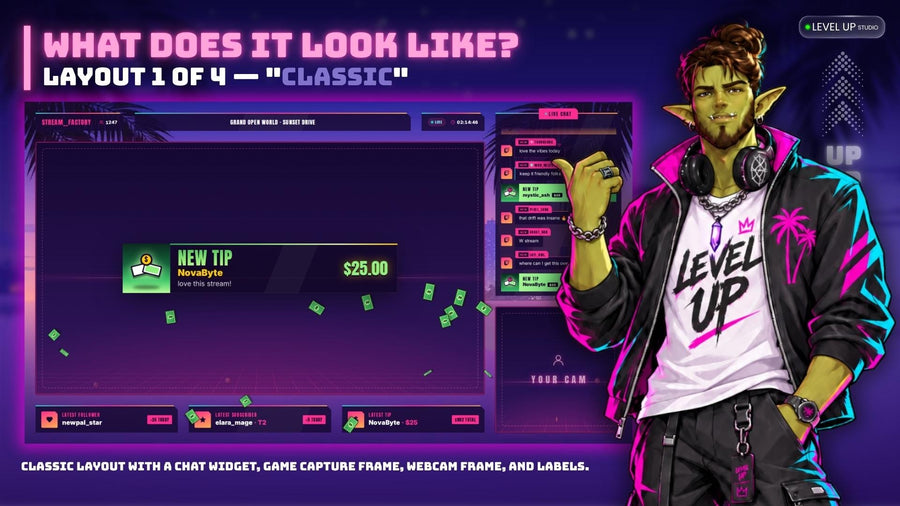
If you want the whole thing to look like one designed event rather than a timer floating over gameplay, pick a theme and use matching screens and alerts for the run:
 Stream WidgetNeon Stream Screens Widget
$14.99
 Stream WidgetNeon Coast Alerts Widget
$14.99
 Stream WidgetNeon Round Goal Widget
$14.99
A subathon rewards preparation more than any other stream format. Spend an hour on the rules and the timer settings, and the run takes care of itself.